Skip to content
The first Sunday call between Diane and her mother in Bowness stopped happening on time when her mother turned 79.
Diane’s mother had lived alone for six years since her husband died. She was sharp. Still driving to her book club, still baking bread on Wednesdays. But the phone was becoming a small problem. She would forget to charge it. She would misplace the charger. She would look at a missed call from her granddaughter and not quite know how to call back.
Diane, who lived in Kelowna, was worried in the quiet way adult children worry. Not enough to have a hard conversation. Enough to be uneasy every Sunday afternoon.
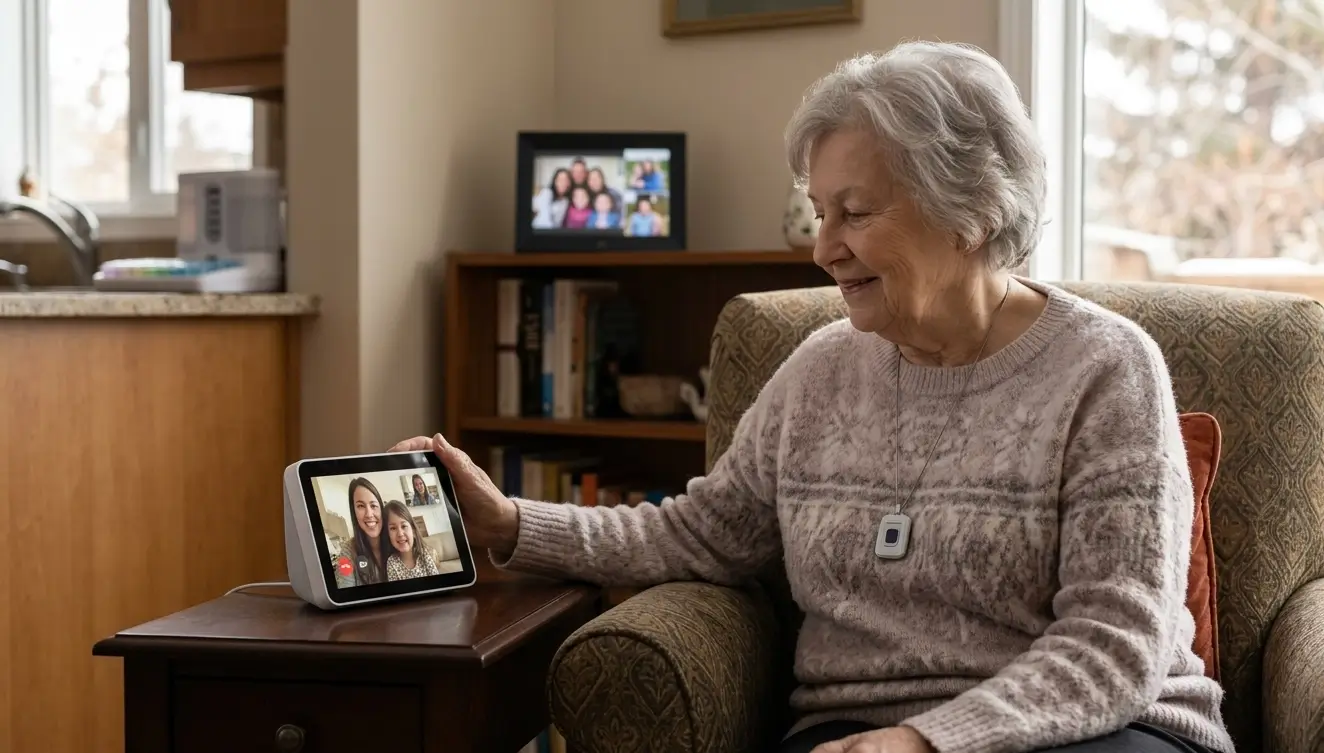
She bought a small device, about the size of a book, and set it up over one video call with her mother’s neighbour. It was a voice-activated screen that could show family photos on rotation, could make video calls by voice command, and could remind her mother to take her evening medication.
Six months later, Diane’s mother told her the biggest thing that had changed was not the device itself. It was that she had stopped feeling far away.
Technology for aging in place is not a replacement for the people who love a Calgary senior. It is a way of shortening the distance between visits, giving families peace of mind between check-ins, and helping seniors stay safely and independently in the homes they love. Here is what is actually working right now.
The mindset shift Calgary families need
Before choosing any device, the right frame matters.
Technology for aging in place is not about turning a senior’s home into a smart home. It is about solving specific problems with the smallest, gentlest tools that work.
Start with a goal, not a gadget. “I want Mom to be able to see the grandkids more often” leads to different tech than “I’m worried Dad will fall and not be able to reach the phone.” Both are valid. Both have very different solutions.
Then start small. A single device that solves one real problem is worth a hundred features nobody will ever use. Once a senior is comfortable with one tool, adding another gets easier.
And frame the technology around what your parent already loves, not around what they are losing. “So you can see Emma dance every week” is a very different pitch than “so we can keep an eye on you.”
Communication and connection
The single biggest use of technology for aging in place, and the one families almost always underestimate, is keeping seniors emotionally connected to the people they love.
Voice-activated smart displays. Devices like the Echo Show and Google Nest Hub let a senior make video calls with a single voice command, no touchscreen required. They also display family photos automatically, which quietly changes the emotional atmosphere of a home more than families expect.
Simple video calling devices. For seniors uncomfortable with voice commands, a dedicated video calling device with only a few large buttons keeps things simple. Some grandchildren-focused options are specifically designed to feel less like a computer and more like a photo frame with a call button.
Senior-friendly phones. Large-button phones with only the essential functions, and a few programmed contacts, remove the intimidation of a modern smartphone for seniors who never wanted one.
Digital photo frames that update from family. Family members can send photos to the frame from anywhere in the world, and new photos appear automatically. For a Calgary senior with grandchildren in Toronto or a daughter in Kelowna, this is quietly one of the highest-impact devices in the whole category.
Our article on combating senior loneliness explores the connection between loneliness and health for older adults in more detail.
Safety and emergency response
If connection is the emotional side of aging-in-place technology, safety is the practical one.
Medical alert pendants. A senior wearing a pendant can press one button and be connected to an emergency response service. Modern versions can detect falls automatically and alert the service even if the senior cannot press the button.
Fall detection watches. Smartwatches like the Apple Watch and some dedicated senior-focused wearables can detect a hard fall and offer to call emergency services if the senior does not respond within a set time.
Smart doorbells with cameras. A senior can see who is at the door without opening it, which matters most in winter and for seniors who worry about answering the door alone. Family members can also see visitors and package deliveries remotely.
Motion-activated lights. Along hallways, staircases, and the path from bed to bathroom. These prevent falls during nighttime trips more than any other device in the category.
Smart smoke and carbon monoxide detectors. These alert not only the household but also family members’ phones, which matters if a parent lives alone or if the alarm sounds while the senior is asleep.
GPS trackers for seniors with dementia. For families whose loved one has dementia and may wander, a discreet GPS device gives family and caregivers a way to locate them quickly.
Our article on what to do after a senior falls at home covers the falls side of home safety in more depth.
Medication management
Medication errors are one of the most common preventable causes of hospital visits for Calgary seniors. Technology can help.
Automated pill dispensers. Family members or a pharmacy can pre-load the dispenser, and it releases the correct dose at the correct time with an alert. Some models notify family if a dose is missed.
Medication reminder apps. For seniors comfortable with a phone or tablet, apps can gently prompt medication times, track adherence, and share updates with family.
Family-shared tracking apps. Some apps allow multiple family members to see whether a parent has taken today’s medications, which reduces the check-in calls between siblings during busy weeks.
Our article on medication management for seniors at home covers the full picture of safe medication use for older adults.
Home management and daily living
Daily household tasks become easier with a handful of well-chosen tools.
Voice-controlled thermostats. A senior with arthritis in their hands, or one who has trouble reading small displays, can adjust the temperature by voice. Family members can also monitor the home’s temperature remotely, which matters during Calgary winters.
Smart lighting. Lights that turn on with voice, motion, or a schedule remove the need to walk into dark rooms. Some seniors find this a bigger daily quality-of-life improvement than any other device.
Robot vacuums. For seniors who used to vacuum and now find it hard, a robot vacuum takes the physical strain out of a daily task. Newer models are simple enough to operate with a single button.
Smart plugs. For a senior who worries they left the iron on, a smart plug lets them (or a family member) turn off any appliance remotely. Peace of mind in one small device.
Health monitoring
For seniors managing chronic conditions, health monitoring devices can keep small issues from becoming big ones.
Blood pressure monitors that sync to phones. Readings are stored automatically and can be shared with doctors or family. No more paper logs.
Continuous glucose monitors. For seniors with diabetes, newer glucose monitors reduce or eliminate finger sticks and give real-time data.
Wearables that track heart rate and activity. Not medical devices, but useful for noticing patterns and encouraging gentle movement.
Smart scales. Weight changes can be an early sign of many conditions. A scale that logs weight automatically catches trends a senior may not notice on their own.
Cognitive support and entertainment
Technology also plays a quiet role in mental engagement, which matters for cognitive health.
Brain training apps. Games and puzzles that adapt to the senior’s level and keep the brain engaged. Not a substitute for cognitive care, but a low-effort daily habit many seniors enjoy.
Audiobooks. For seniors with vision changes, audiobooks give back the pleasure of a good story. The Calgary Public Library offers extensive free audiobook lending through apps like Libby.
Music streaming with voice control. For seniors with dementia especially, familiar music from their younger years can be deeply calming. Voice-controlled speakers make this effortless.
Simplified tablets designed for seniors. Some tablets are specifically stripped down to only the functions a senior will use, with a large-print interface and simplified layout.
Getting help with setup
The most common reason technology for aging in place fails is not the device. It is the setup.
If nobody is available to help your parent set up a device, or if they get frustrated on the first day, the device becomes yet another thing that “just doesn’t work for me.” A little patience upfront saves everything.
Ideally, someone in the family or a trusted local person sets the device up in your parent’s home, sits with them, and walks them through the two or three functions they will actually use. Not every feature. Just the ones that matter.
For families outside Calgary, a friend, neighbour, or in-home caregiver can play this role. Many Calgary in-home care providers now include gentle tech support as part of the visit, especially for seniors starting with voice-activated devices for the first time.
What technology cannot replace
Technology for aging in place is a supplement to human care, never a substitute for it.
A smart display can carry a video call, but it cannot notice that your father has lost weight, or that his colour looks off, or that he is quieter today than usual. A medical alert pendant can call for help after a fall, but it cannot prevent the fall in the first place, or notice the balance issue that led to it.
The most valuable form of aging-in-place support remains human presence. A regular caregiver who visits weekly, notices small changes, and knows the senior as a person catches everything technology misses. Our article on maintaining independence at home explores the balance between independence and support in more depth.
Technology is a wonderful bridge between the moments when someone is physically there. It is not a replacement for the moments themselves.
A note on Calgary winters
Calgary winters give aging-in-place technology a role families do not always think about.
The long dark months, the icy sidewalks, and the days when leaving the house is genuinely risky all compound isolation for Calgary seniors. Video calling, digital photo frames, and voice-activated companions matter more between November and March than they do in July.
Smart thermostats and remote temperature monitoring also let family check that a senior’s home is warm enough during cold snaps without needing to phone and ask.
And smart video doorbells mean a senior does not have to open the door to a delivery driver in minus 25 weather. Small conveniences that turn out to matter.
Frequently asked questions
What technology is best for a senior who is not comfortable with tech?
Start with a voice-activated smart display. It removes the need for typing, small buttons, or touchscreens. If voice feels intimidating, a digital photo frame that updates automatically from family is the gentlest possible entry point. Both introduce technology without asking the senior to learn anything.
Are medical alert pendants worth having?
For seniors who live alone, especially those with any falls history, most Calgary families find them one of the most valuable pieces of technology in this category. The peace of mind, both for the senior and for family members far away, is significant. Newer models that automatically detect falls and connect to a response service are an especially strong option for seniors at higher risk.
Can technology really help a parent with dementia?
Some technology, yes. Music streaming with familiar songs from their younger years, GPS tracking for wandering, simple photo displays that stimulate memory, and automated lighting that reduces confusion at night can all help. Technology cannot slow dementia, but it can make daily life gentler.
What if my parent refuses to use the technology I set up?
This is common, and it almost always comes from either intimidation or feeling patronized. The best approach is to introduce one device at a time, tied to something they already love (photos of grandchildren, favourite music, weekly calls with a specific person), and let them see the value before adding anything else. Never install multiple devices at once.
Is my parent’s data safe with these devices?
The major devices in this category have strong security, but families should still take basic precautions. Set up unique passwords, enable two-factor authentication where offered, review privacy settings, and disable any features (like always-on microphones) that are not needed. A quick conversation about what the device does and does not record helps a senior feel more comfortable too.
How do I introduce technology without my parent feeling talked down to?
Frame the technology around what they gain, not what they lack. “So we can chat more easily,” not “so I can check on you.” “So you can hear the grandkids clearly,” not “because your hearing is not what it was.” Small language shifts change how the whole conversation lands.
Small tools, real independence
Technology for aging in place, at its best, is invisible. It becomes part of a Calgary senior’s daily life so quietly that they stop thinking of it as technology at all. It is just the thing that makes calling their granddaughter easier. It is just the light that comes on when they walk down the hall at 2 a.m. It is just the reminder to take their evening medication.
None of it replaces the humans who love them, or the caregivers who know them well. But when the right tools are chosen thoughtfully and set up patiently, technology can meaningfully extend the years a senior spends safely and independently in the home they love.
If you would like to talk about what kinds of in-home support would work alongside the tools your family is putting in place, the Compassion Senior Care team is here. You can learn more on our services page, or reach out whenever you are ready.